
Top Daily AI
AI Tutorials
Learn by Doing
Google Gemini Tutorials
Gemini from the basics to Gmail, Docs and Sheets, plus NotebookLM for learning anything faster.
Getting Started How to Use Google Gemini AI (Full Tutorial)BeginnerWrite content, analyse files, create images and organise chats.Getting Started
 How To Use The New Google Gemini (in 2026)BeginnerModels, notebooks, image and video generation, Canvas and usage limits.Getting Started
 The ONLY Google Gemini Tutorial You Need! Use Gemini Like a ProIntermediateA full walkthrough from chatting and images to building with Gemini.Getting Started
 How to Use Google Gemini for BeginnersBeginnerGet started with Gemini in ten minutes and learn to write effective prompts.Gemini in Workspace
 How to use Gemini with Google Workspace - Quick TutorialBeginnerWrite, summarise and organise in Gmail, Docs, Sheets and Drive.Gemini in Workspace
 Master Gemini in Google Workspace 2026IntermediateA complete guide to Gemini in Docs, Gmail, Sheets and more.Gemini in Workspace
 How to Use Google Workspace Apps With Gemini AIBeginnerGet more done in Gmail, Docs, Sheets, Slides, Drive and Meet.Gemini in Workspace
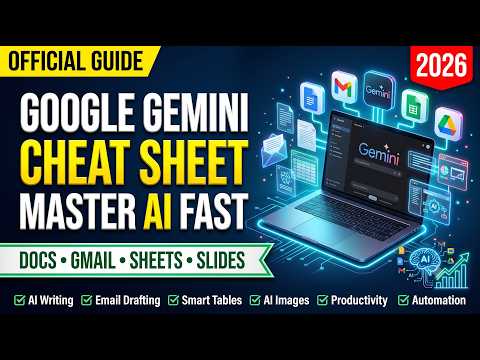 Google Workspace with Gemini Cheat SheetBeginnerThe official Gemini cheat sheet explained with real examples.Gemini in Workspace
 How To Use Gemini AI With Google Workspace (Gmail, Docs & Drive)BeginnerGemini inside Gmail, Drive and Docs, step by step.NotebookLM
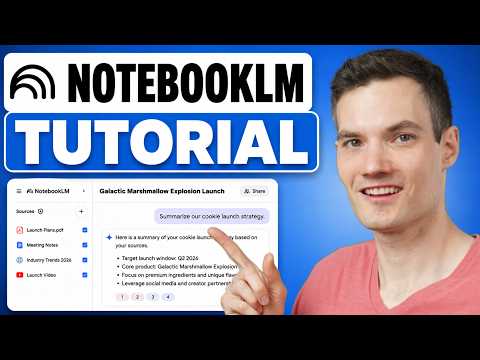 How to Use Google NotebookLM (Full Tutorial)BeginnerTurn PDFs, notes, websites and Drive files into a research notebook.NotebookLM
 How to Use NotebookLM (2026 Tutorial)BeginnerEvery NotebookLM function in under 11 minutes.NotebookLM
 Google NotebookLM Tutorial - Become A Power User in 15 minIntermediateThirteen tips for getting more from NotebookLM.NotebookLM
 NotebookLM: The Only AI Tool You Actually Need in 2026IntermediateLearn faster and create slides, podcasts and quizzes from your sources.NotebookLM
 How to Use NotebookLM to Learn Anything FasterBeginnerA complete NotebookLM tutorial for studying and learning.
How to Use Google Gemini AI (Full Tutorial)BeginnerWrite content, analyse files, create images and organise chats.Getting StartedHow To Use The New Google Gemini (in 2026)BeginnerModels, notebooks, image and video generation, Canvas and usage limits.Getting StartedThe ONLY Google Gemini Tutorial You Need! Use Gemini Like a ProIntermediateA full walkthrough from chatting and images to building with Gemini.Getting StartedHow to Use Google Gemini for BeginnersBeginnerGet started with Gemini in ten minutes and learn to write effective prompts.Gemini in WorkspaceHow to use Gemini with Google Workspace - Quick TutorialBeginnerWrite, summarise and organise in Gmail, Docs, Sheets and Drive.Gemini in WorkspaceMaster Gemini in Google Workspace 2026IntermediateA complete guide to Gemini in Docs, Gmail, Sheets and more.Gemini in WorkspaceHow to Use Google Workspace Apps With Gemini AIBeginnerGet more done in Gmail, Docs, Sheets, Slides, Drive and Meet.Gemini in WorkspaceGoogle Workspace with Gemini Cheat SheetBeginnerThe official Gemini cheat sheet explained with real examples.Gemini in WorkspaceHow To Use Gemini AI With Google Workspace (Gmail, Docs & Drive)BeginnerGemini inside Gmail, Drive and Docs, step by step.NotebookLMHow to Use Google NotebookLM (Full Tutorial)BeginnerTurn PDFs, notes, websites and Drive files into a research notebook.NotebookLMHow to Use NotebookLM (2026 Tutorial)BeginnerEvery NotebookLM function in under 11 minutes.NotebookLMGoogle NotebookLM Tutorial - Become A Power User in 15 minIntermediateThirteen tips for getting more from NotebookLM.NotebookLMNotebookLM: The Only AI Tool You Actually Need in 2026IntermediateLearn faster and create slides, podcasts and quizzes from your sources.NotebookLMHow to Use NotebookLM to Learn Anything FasterBeginnerA complete NotebookLM tutorial for studying and learning.